
Explore how free Gantt chart templates can simplify your planning and improve project management. Discover 15 options in Docs, Word, and Excel for effective work organization.
Add us to your preferred sources.

Project management is a complex task that requires careful planning and a clear vision of the activities to be performed. Gantt charts are fundamental visual tools that help track the progress of tasks, set deadlines, and coordinate the work of different team members. In this article, we will explore 15 free Gantt chart templates available in various formats, such as Documents, Word, and Excel. These templates will not only simplify your planning but also allow you to maintain control and transparency over the status of your projects.
What is a Gantt chart?
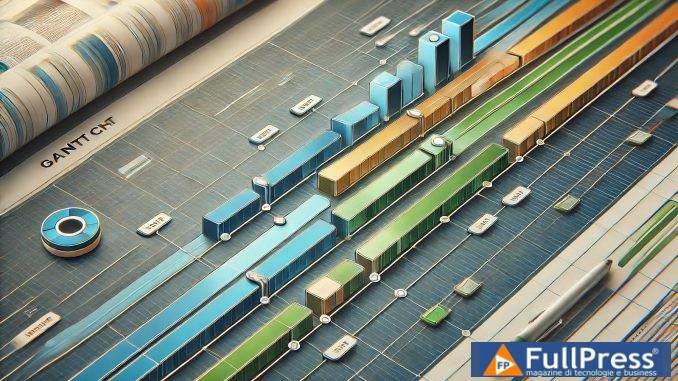
A Gantt chart is a graphical representation of a project’s work plan. It displays tasks on a timeline, allowing for easy visualization of deadlines, dependencies, and overlaps between different activities. Each task is represented by a horizontal bar, the length of which indicates the planned duration. Gantt charts can also include information about the team members responsible for each task, milestones, and overall project progress.
Benefits of using Gantt chart templates
- Clear visualization: Gantt charts offer an immediate overview of the project status, facilitating understanding of deadlines and dependencies.
- Effective planning: by using a template, you can save time and effort in creating a chart from scratch.
- Improved communication: sharing a Gantt chart with your team and stakeholders helps keep everyone informed and aligned on project goals.
- Ease of updating: templates can be easily modified to reflect changes in the work plan.
1. Nifty’s Simple Gantt Chart Template
Nifty’s Simple Gantt Chart template is ideal for those looking for an intuitive solution to visualize project tasks. This template allows you to:
- Easily add tasks and deadlines.
- View task progress in real-time.
- Use color codes to identify task status.
Key features
- User-friendly interface.
- Ability to customize columns based on project needs.
- Reporting feature to track progress.
2. Nifty’s Personal Task Gantt Chart Template
If you need a way to manage your daily tasks, Nifty’s Personal Task Gantt Chart template is the perfect choice. This template allows you to:
- Create a to-do list.
- Track deadlines and task completion.
- Visualize your progress in a simple and intuitive way.
Advantages
- Ease of use for those with no prior project management experience.
- Ability to customize tasks and deadlines.
- Clear visualization of completed and pending tasks.
3. Nifty’s Content Writing Calendar Template
Content creation requires careful planning. Nifty’s content writing calendar template is designed to help you organize your ideas and articles effectively. This template includes:
- Writing process stages: ideas, writing, revision, approval, and completion.
- Gantt view of tasks for better time management.
Benefits
- Detailed planning of writing tasks.
- Ease of deadline tracking.
- Increased productivity through organized idea management.
4. Nifty’s Blog Writing Gantt Chart Template
Nifty’s blog writing Gantt chart template is designed for marketers and bloggers. This template allows you to:
- Organize ideas for upcoming articles.
- Track the progress of each article through the different writing stages.
Features
- Dedicated sections for each stage of the writing process.
- Clear view of publishing deadlines.
- Easy collaboration with other team members.
5. Nifty’s Agile Software Development Gantt Chart Template
If you work in an Agile environment, Nifty’s software development Gantt chart template is an excellent resource. This template is designed to:
- Track project milestones.
- Monitor the backlog and development tasks.
Advantages
- Flexible structure to adapt to rapid changes.
- Clear visualization of ongoing tasks and expected results.
- Easy communication among team members.
6. Excel Project Tracking Template
If you prefer using Excel, the project tracking template is an excellent choice. This template allows you to:
- Add tasks and deadlines easily.
- Monitor project progress with charts and reports.
Main Features
- Easy customization of columns and rows.
- Automatic calculation features for deadline monitoring.
- Familiar interface for those already using Excel.
7. Simple Excel Gantt Chart Template
Another useful template in Excel is the simple Gantt chart. This template is ideal for those who want a quick solution to visualize tasks. Its features include:
- Clear and intuitive structure.
- Ability to customize tasks and deadlines.
Benefits
- Ease of use for beginners.
- Immediate visualization of tasks and deadlines.
- Ability to add notes and comments.
8. Nifty Marketing Growth Strategy Template
If you are planning a growth strategy for your marketing, this Nifty template is an excellent resource. It allows you to:
- Strategically organize marketing activities.
- Monitor campaign results in real-time.
Advantages
- Clear visualization of marketing activities.
- Ease of updating and monitoring deadlines.
- Improved collaboration among marketing team members.
9. Nifty Link Building Template
Link building is a crucial aspect of SEO. This Nifty template helps you to:
- Plan link building activities effectively.
- Monitor the progress of outreach and negotiation activities.
Features
- Clear visualization of link building activities.
- Ability to customize tasks and deadlines.
- Ease of collaboration with other team members.
10. Nifty Legal Case Management Template
Legal case management requires attention to detail. This template from Nifty is designed to help you:
- Organize legal tasks clearly.
- Monitor deadlines and case updates.
Advantages
- Detailed structure for each stage of the legal process.
- Ease of updating and monitoring deadlines.
- Increased collaboration among legal team members.
11. Excel Work Breakdown Structure Template
The Work Breakdown Structure (WBS) template is useful for managing complex projects. This template allows you to:
- Break down tasks into more manageable parts.
- Monitor task progress clearly.
Key Features
- Flexible structure to adapt to project needs.
- Ability to add notes and comments for each task.
- Clear visualization of deadlines and expected outcomes.
12. ClickUp Construction Project Management Template
If you work in the construction industry, this ClickUp template is perfect for you. It allows you to:
- Monitor project costs and budget.
- Coordinate tasks among team members.
Benefits
- Clear visualization of tasks and deadlines.
- Ease of updating and expense tracking.
- Increased collaboration among construction team members.
13. Excel Gantt Template
The Gantt Excel template is an automated solution for project planning. Its features include:
- Automatic creation of tasks and deadlines.
- Clear visualization of project progress.
Advantages
- Ease of use for beginners.
- Ability to customize tasks and deadlines.
- Immediate visualization of tasks and deadlines.
14. PowerSlides Gantt Chart Template
If you’re looking for a creative template, the PowerSlides Gantt chart is an excellent choice. This template allows you to:
- Visually illustrate a project schedule.
- Customize the layout to suit your needs.
Features
- Wide range of editable layouts and shapes.
- Ease of use for creating professional presentations.
- Clear visualization of tasks and deadlines.
15. LibreOffice Gantt Chart Template
Finally, the LibreOffice Gantt chart template is a simple solution for project management. It allows you to:
Gantt chart
- Easily enter project details.
- Generate a graphical Gantt chart in just a few clicks.
Advantages
- User-friendly interface.
- Ability to customize tasks and deadlines.
- Immediate visualization of tasks and deadlines.
In summary
Using free Gantt chart templates can significantly improve your project management capabilities. Whether you’re working on a personal project or a large business initiative, these tools can help you maintain control and transparency. Choose the template that best suits your needs and start planning your next project successfully!
Pubblicato in Digital Tools
Be the first to comment